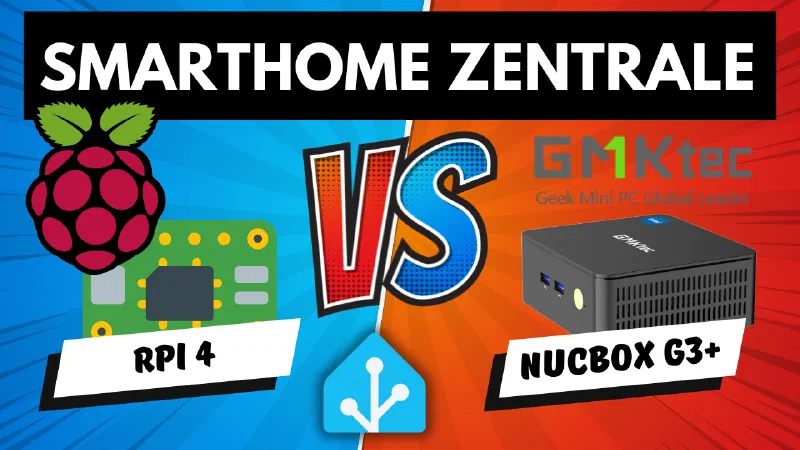
My father needed a new computer – compact, quiet, affordable. My parents have been running Ubuntu for years, so no big setup drama. The GMKtec NucBox G3 Plus ticked all the boxes, and when the device arrived, I glanced at the specs and thought: Hold on. This would actually make a pretty solid smart home server.
So I just gave it a try. Ubuntu, Home Assistant, a few benchmarks against my Raspberry Pi – and in the end I learned more than I expected.
Why a Mini PC as a Smart Home Hub?
Many people rely on Home Assistant, OpenHAB, or ioBroker – usually on their own hardware running 24/7. The Raspberry Pi is popular, but has its weaknesses: SD card failures, finicky power supply, and limited performance. Intel NUCs are powerful, but often expensive. The NucBox G3 Plus offers an interesting alternative: compact, quiet, expandable, and attractively priced.
The GMKtec NucBox G3 Plus at a Glance
- Compact mini PC, barely larger than the palm of your hand
- Up to 16 GB RAM, fast NVMe SSD (up to 1 TB)
- Intel N150 Quad-Core processor
- Quiet fan, barely audible in everyday use
- HDMI, 4x USB 3.0, 2.5 Gbit LAN (ideal for NAS/backups)
- Easy to open and upgrade (RAM/SSD)
- Variants with 8/16 GB RAM and 256/512/1024 GB SSD
- Powered via 12V power supply (36W); HDMI cable and mounting rail included
Order directly here:
- GMKtec G3 Plus N150 Mini PC Intel Twin Lake N150, 16 GB RAM 3200 MHz, 512 GB PCIE3.0 SSD (affiliate link)
- GMKtec G3 Plus N150 Mini PC Intel Twin Lake N150, 16 GB RAM 3200 MHz, 1024 GB PCIE3.0 SSD (affiliate link)
- GMKtec G3 Plus N150 Mini PC Intel Twin Lake N150, 8 GB RAM 3200 MHz, 256 GB PCIE3.0 SSD (affiliate link)
Note: Links marked with affiliate link are affiliate links. As a partner of various retailers and manufacturers (e.g. Amazon, OBI via the Awin network, Shelly) I earn from qualifying purchases. This means I receive a small commission if you purchase through these links — at no extra cost to you. The revenue helps me run this blog and YouTube channel and keep creating content. Thank you for your support!
― Joachim
Advantages Over Raspberry Pi & Intel NUC
- More performance and RAM than a Pi, cheaper than most NUCs
- Future-proof thanks to expandability
- 2.5 Gbit Ethernet for a fast home network
- No SD card issues, fast NVMe SSD
- Flexible for Home Assistant, Proxmox, Docker, VMs
Comparison: NucBox vs. Raspberry Pi vs. Intel NUC
| Device | RAM | Storage | Network | Power draw | Noise | Price |
|---|---|---|---|---|---|---|
| Raspberry Pi 4 | up to 8 GB | SD/USB/SSD | 1 Gbit | ~5 W | passively cooled | varies |
| Intel NUC (classic) | up to 32 GB | SATA/NVMe | 1 Gbit | 10–20 W | often audible | expensive |
| NucBox G3 Plus | up to 16 GB | NVMe | 2.5 Gbit | ~7 W | very quiet | fair |
Hands-On: Setup & Operation
I tested Ubuntu and Home Assistant – both run without issues. For beginners I recommend Ubuntu Server or Home Assistant OS directly on the NucBox. More advanced users can run Proxmox and operate multiple VMs and Docker containers. Before installing, it’s worth checking the BIOS: the “CPU Performance” setting can be switched to “Performance” to get the most out of the CPU – without any noticeable increase in fan noise.
Noise & Power Consumption
- Idle draw around 7 watts, briefly up to 15 watts during boot
- Annual consumption approximately 61 kWh (~€21.50 at €0.35/kWh)
- Fan barely audible in everyday use (approx. 35 dB right next to the device)
- Less suitable for bedroom use, no problem in a living room
Conclusion & Recommendation
The GMKtec NucBox G3 Plus is a powerful, quiet, and flexible smart home hub. It delivers more performance and convenience than a Raspberry Pi, costs less than most classic NUCs, and scores points with 2.5 Gbit LAN, a fast SSD, and expandability. Ideal for ambitious smart home setups, Docker, VMs, and fast networks.
Are you running a mini PC as your smart home hub? Or are you still sticking with the Raspberry Pi? Let me know in the comments.