
Ad: Shelly provided the Shelly 2PM Gen4 devices free of charge. No payment, no content requirements, no approval before publication. Links marked (paid link) are affiliate links.
Shelly sent me a whole box of the new Shelly 2PM Gen4 – my first Shellys with Matter over Wi-Fi. So I tried it right away. And even though smart home is all I’ve been doing for years: I failed, right on the first device. The bug had been known for over a year. Since Home Assistant 2026.9.3 it’s gone – because I ended up fixing it myself.

The symptom: device yes, shutter no
Pairing via Matter is pleasant: scan the QR code in the Home Assistant app, done. No open Wi-Fi hotspot, no Wi-Fi password sent in plain text, no Shelly app – Matter transfers the credentials to the device encrypted.
But: Home Assistant created no cover entity. The device was there, firmware version and IP address too – but no up, no down, no stop.
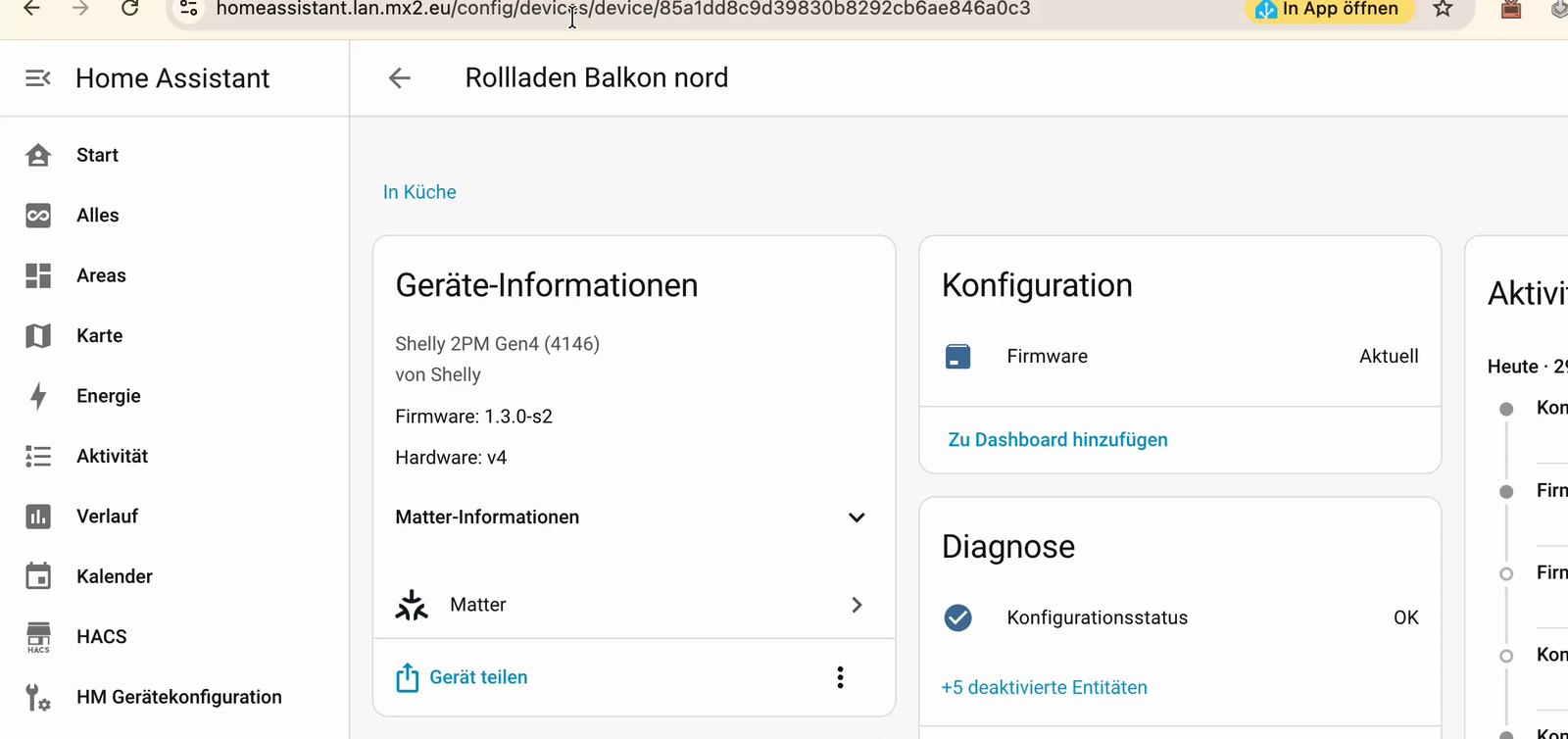 Device detected, firmware shown – but no shutter controls.
I wasn’t the first: the problem has been documented since August 2025 in home-assistant/core#149876, with more than 30 comments.
The clue: the venetian blind
On the next install I swapped two devices: one for a regular roller shutter, one for external venetian blinds. For the blinds I enabled Slat Control in the Shelly web interface – and suddenly the cover entity appeared, with sliders for position and tilt.
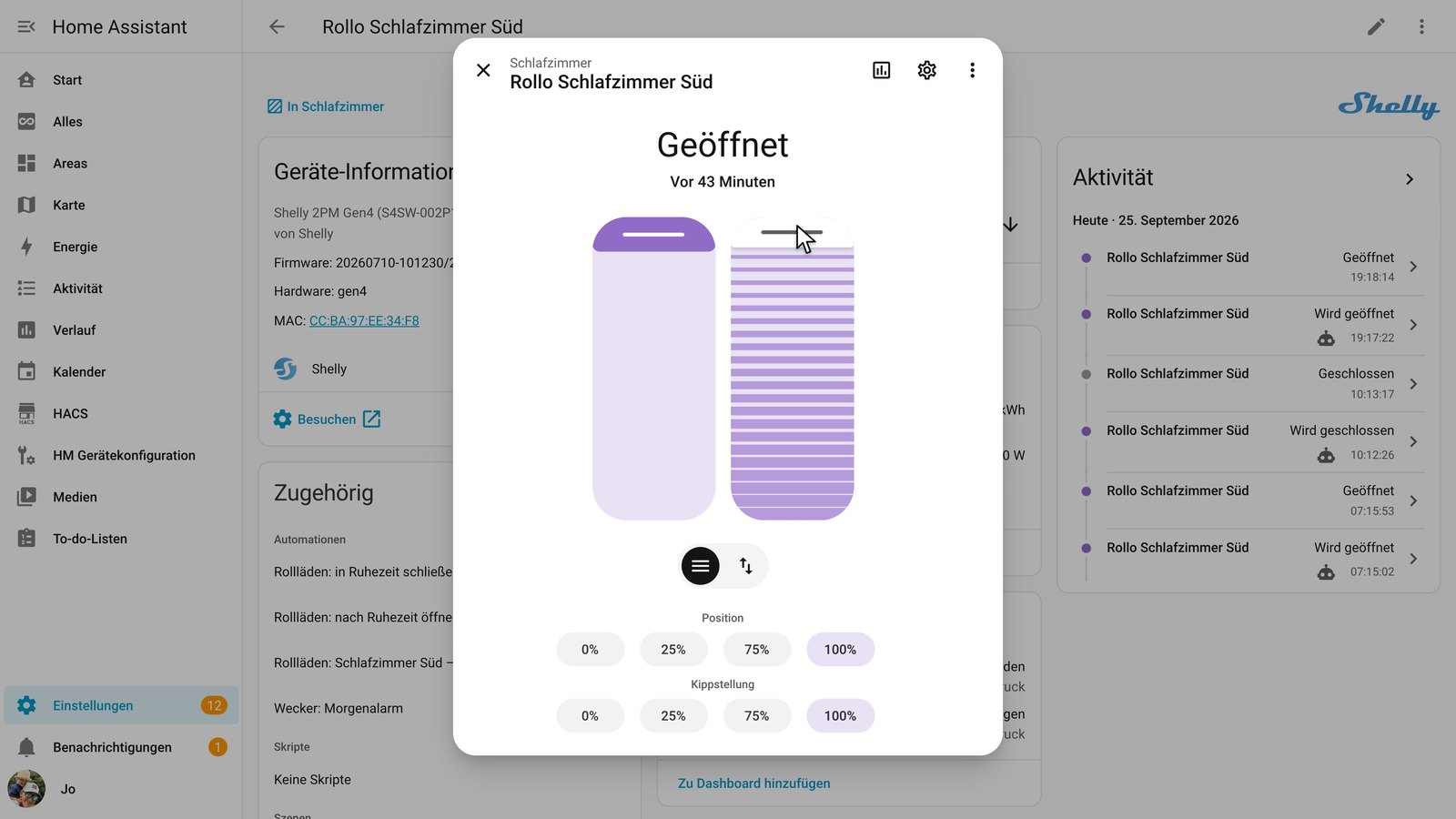 This is what venetian blinds look like in Home Assistant: one slider for position, one for tilt.
The regular shutter: still nothing. Enabled Slat Control there as a test – entity appeared, but with a second slider that does nothing.
The cause
With Matter, a device reports what it can do and delivers the matching values:
| What the Shelly reports (no slats) | |
|---|---|
| FeatureMap | lift yes, tilt no – correct |
| AttributeList | still contains the tilt value CurrentPositionTiltPercent100ths |
| Value | null – i.e. “empty”, not the number 0 |
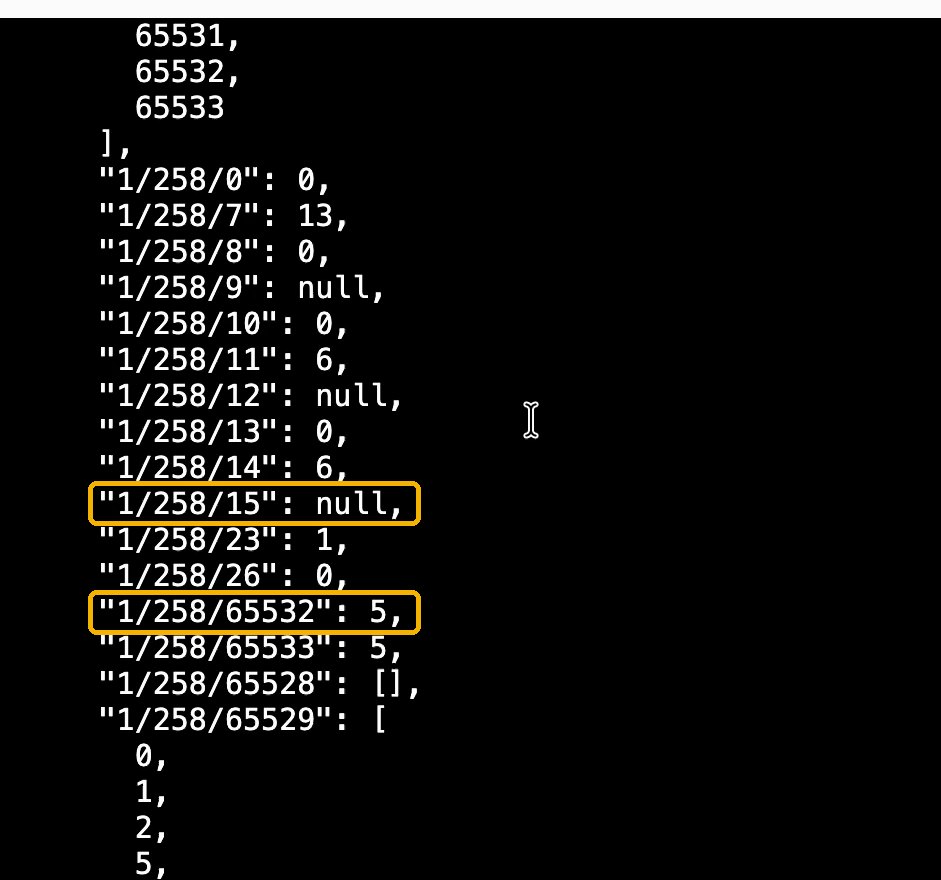 Excerpt from the Matter server: cluster 258 is window covering. Attribute 15 (tilt) is
 null, attribute 65532 (FeatureMap) is 5 – lift yes, tilt no.
Home Assistant used to treat the tilt value as required during discovery. Required value empty → the device matches no schema → no entity at all, not even a simple one for a shutter without slats.
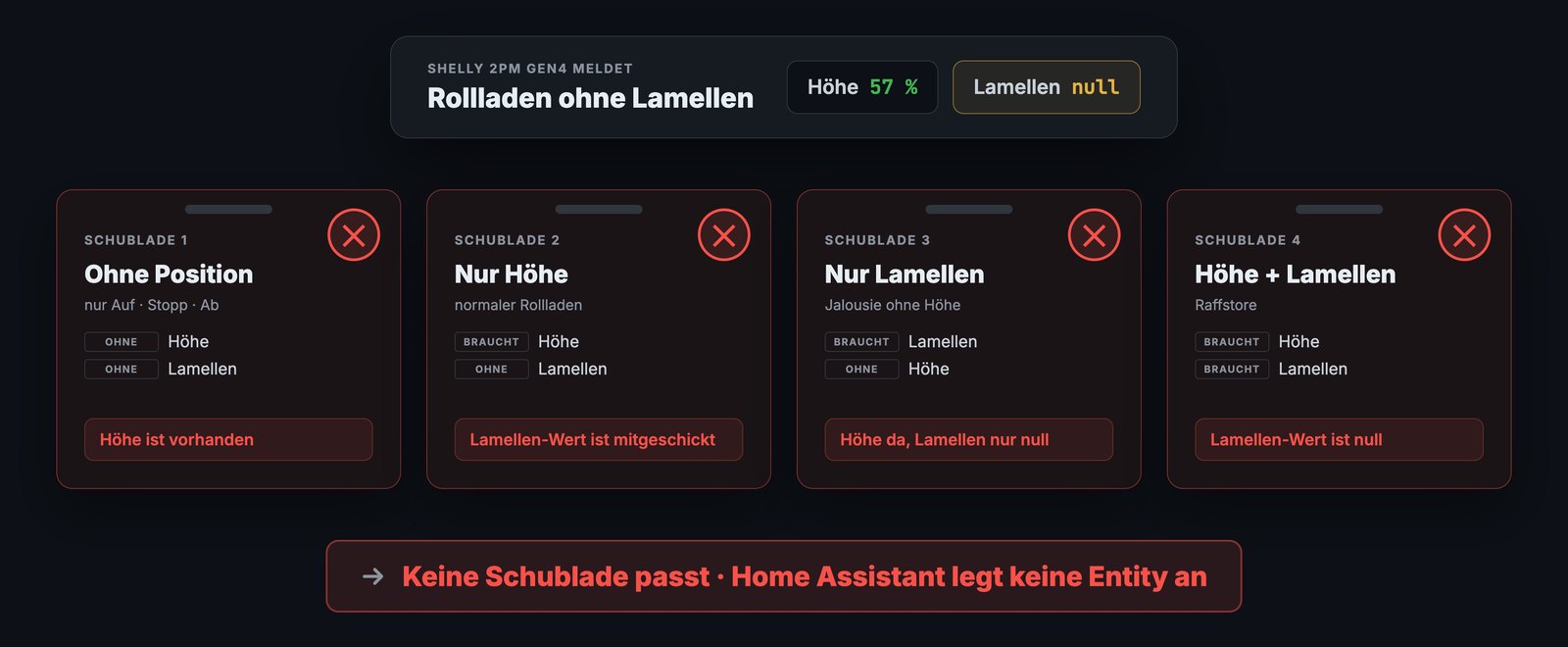 Four “drawers” for covers – because of the empty tilt value, the Shelly fits none of them.
Whose fault is it?
You could argue that without slats, the Shelly shouldn’t report the tilt value at all. I asked Shelly support. Their answer: they can’t support individual smart home systems, and other Matter controllers such as Apple Home handle this behavior just fine. A fair point – so the fix had to happen in Home Assistant.
The fix
My pull request home-assistant/core#182042 changes two things in the Matter integration with 17 lines of code:
- The tilt value is optional instead of required during discovery. If it’s empty, a cover entity is still created.
- The tilt slider only appears if the device’s FeatureMap reports tilt – otherwise you’d get a slider that does nothing.
On top of that: tests with a simulated Shelly and real-world tests on my own devices (with and without slats, calibrated and uncalibrated). Submitted Saturday evening, merged Sunday morning: after more than a year of an open issue, the review took less than 17 hours.
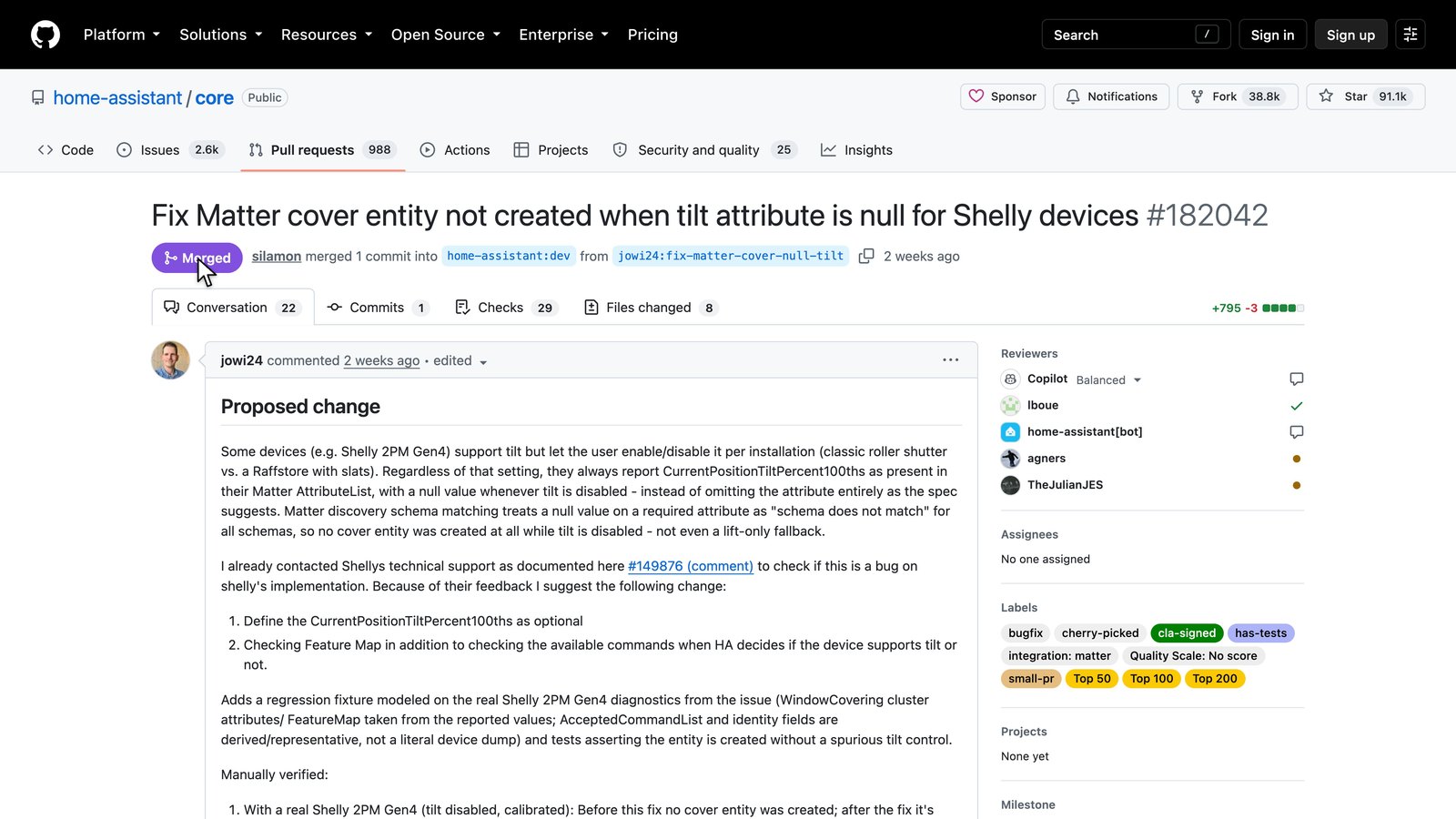 My first pull request for Home Assistant – merged.
What you need to do now
- Update Home Assistant to 2026.9.3 or later. The fix is listed in the release notes under 2026.9.3.
- Calibrate your Shelly: start a calibration run in the Shelly web interface. Without calibration, no cover entity appears even with the fix.
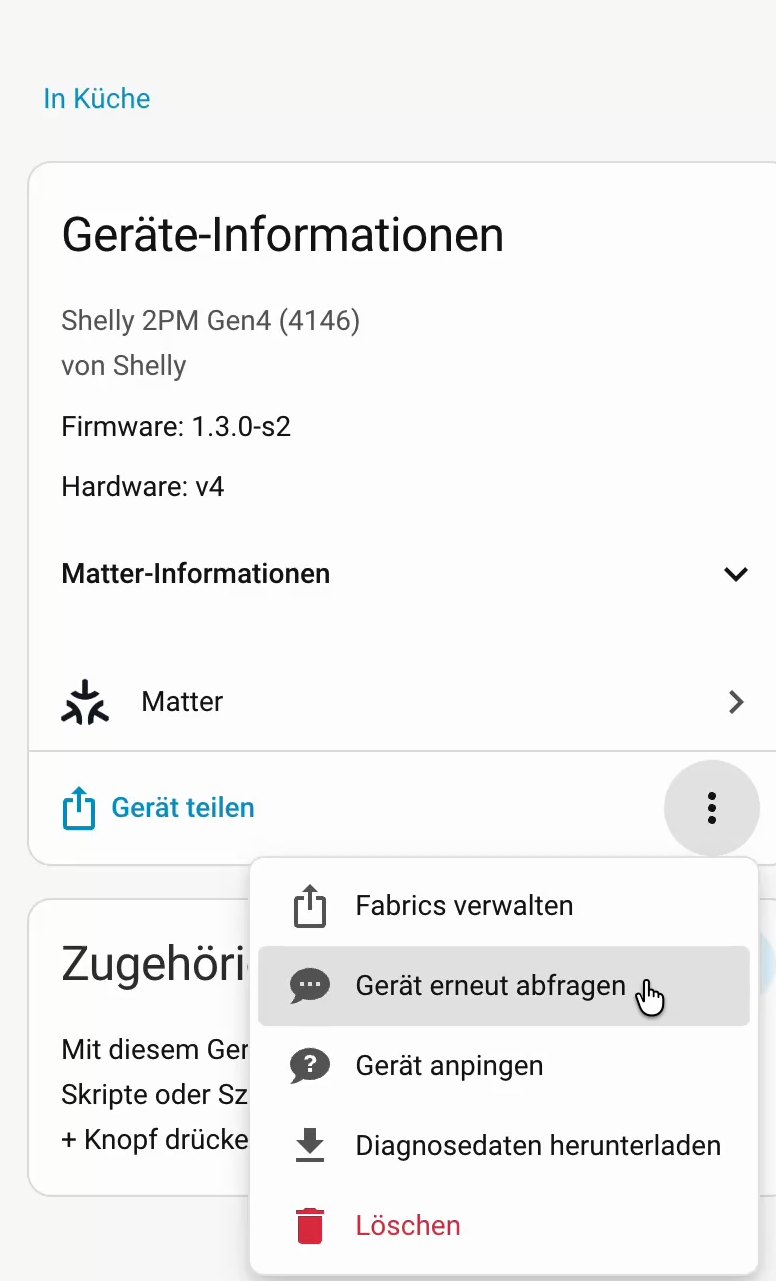
- If the shutter still doesn’t show up: in the device view, open the three-dot menu and run “Re-interview device”.
If you have venetian blinds: I show how to set up slat control and use it in automations in Tilt Venetian Blind Slats to the Percent with Shelly and Home Assistant.
Your opinion matters
That an uncalibrated Shelly doesn’t show up as a shutter via Matter at all is confusing, especially for beginners. Should Home Assistant create it anyway – at least with up, down and stop? Or is “calibrate first” perfectly fine? Tell me in the comments. If many of you agree, I’ll look into it next.
Products from this article
- Shelly 2PM Gen4 – directly from Shelly (paid link): https://upf.ai/l24blt88 · discount code
SMARTHOMEABERSICHER-10OFFfor 10% off
Note: Links marked with affiliate link are affiliate links. As a partner of various retailers and manufacturers (e.g. Amazon, OBI via the Awin network, Shelly) I earn from qualifying purchases. This means I receive a small commission if you purchase through these links — at no extra cost to you. The revenue helps me run this blog and YouTube channel and keep creating content. Thank you for your support!
― Joachim