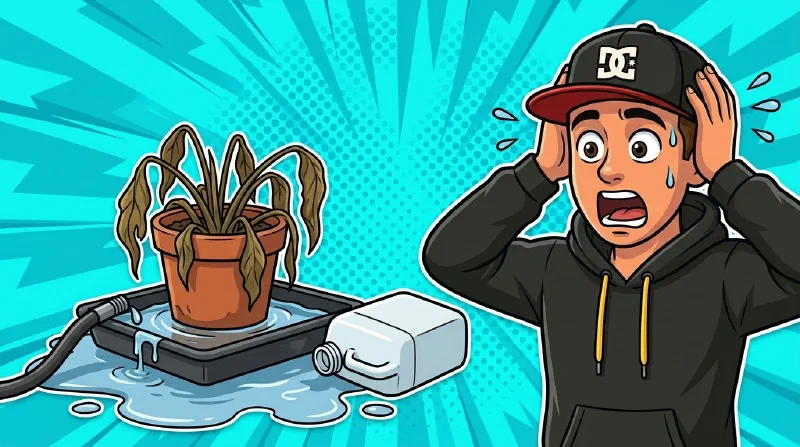
I’m a Smart Home nerd through and through – and when I go on holiday, I’d love to have the watering of my plants automated as well. On my terrace an automatic drip irrigation system has been running for many years now; it works brilliantly and takes a lot of work off my hands. So the idea was obvious: use something like that indoors too – at least while I’m away. Finally no more bothering the neighbors!
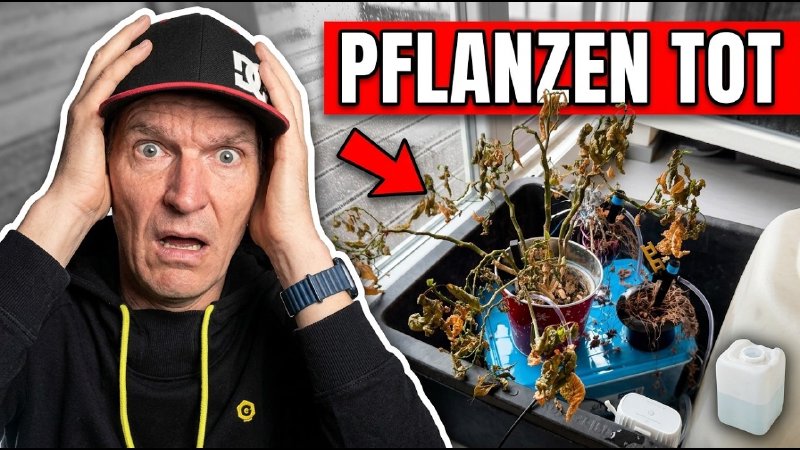
What I didn’t realize back then: just how badly this experience would turn out. When I came back from holiday, my drip tray had flooded right to the brim – not because I had planned it that way, but because the irrigation system had drained my entire water supply onto the bottom of the tray. And – small teaser – that wasn’t even the only problem. Two things went wrong for me, and the second one is even far more annoying than the first.
Disclosure: The NEO Indoor Drip Irrigation Water Timer (NAS-WV08W) was provided to me free of charge by the manufacturer – with no conditions attached to the content. Because I received the device for free, I label this post as advertising. It doesn’t change my assessment, as you’ll notice in a moment.
The idea: watering by app while on holiday
I tested the NEO Indoor Drip Irrigation Water Timer (model NAS-WV08W) – a drip irrigation system for indoors, with a pump, hoses and app control. My test subjects were two plants in my living room: a poinsettia and a lucky clover.
Important, and in hindsight my rescue: I put the entire test setup into a drip tray. Pure precautionary instinct – without it my living room floor would have been flooded.
I set the system up about a week before the holiday. Originally I wanted to integrate it into Home Assistant, but I didn’t manage to get that running in the short time available – classic nerd problem: too little time, too much ambition. So for this first holiday I fell back on the manufacturer’s app: Smart Life (the well-known Tuya app). It runs through the cloud, but for a first test I thought to myself: that’ll be fine.
Second spoiler: it wasn’t fine.
First, the important part: the siphon principle
One thing I noticed during testing already – and you need to remember it, because it becomes important in a moment: The plant has to sit higher than the water tank.
Otherwise this is what happens: as soon as the hose outlet sits lower than the water level in the tank and the pump has run briefly, so that the hoses are full of water, water flows through the hose all by itself via the so-called siphon principle – drop by drop, even though the pump has long been off. So the pump does not stop the flow.
It’s the same trick you use to fill up a jerrycan from your neighbor’s car: once it’s going, the difference in height keeps pulling the liquid along by itself until the tank is empty.
That’s exactly what the manual says as well, and I set it up accordingly – plant on top, tank below – and during the test week everything worked flawlessly. Every time I tapped “water” in the app, it ran perfectly. Remember this section – it explains the mess later on.
Problem 1: the cloud was gone – and the app kept quiet
Then came the holiday, and with it problem number one. First look at the app while I was away: no cloud connection to the device.
What exactly caused it, I still can’t say for sure today. According to my DHCP server, the device did log into the Wi-Fi now and then, but apparently only sporadically. What really annoyed me, though, was something else:
The app never clearly showed me this connection problem. Instead – at least that’s how it looked to me – it had quietly fallen back to Bluetooth back home during testing, without telling me. At home everything worked over that connection, so nothing stood out. Only once I was away did that Bluetooth connection fail too, with an error message. And Bluetooth is of very little use when you’re a few hundred kilometers away.
For me that’s simply badly solved: an app should clearly show me a connection problem and not silently fall back to something that can’t work at all in a different situation. The result: I couldn’t control the device while on holiday at all.
Problem 2: 20 liters of water by pure physics
After the holiday I found problem number two – and this is where the siphon principle from earlier comes back into play.
The hose had come loose from the pump and was just lying on the bottom of the tray – so lower than the water surface in the canister. And you remember: as soon as the hose outlet sits lower than the water level, the water keeps flowing all by itself.
That’s exactly what happened. Through this very effect my entire water supply ran into the tray within a few minutes – no pump needed, the difference in height does it all by itself. 20 liters of water, almost completely drained. The drip tray was filled accordingly.
The cause: a missing barb
So the question remains: why did the hose come loose at all?
I took a close look at the construction afterwards – and found something: all the other plug connections on this device have little barbs that secure the hose. Only the connectors on the pump on my unit don’t. Since the device is new, I don’t assume wear is the cause – this important safety feature is simply missing.
To sum up, two things went wrong for me:
- No remote control while on holiday, because the app obscured the connection problem rather than clearly showing it.
- A hose that slipped off at exactly the spot where the safety feature that’s meant to prevent that is missing.
In the end, what got watered was: nothing except my tray.
What NEO says about it
After the holiday I confronted the manufacturer NEO with my experience and asked for a statement. On the plus side: NEO answered quickly and in detail – though not on every point the way I would have liked.
The pump: fixed – but only for new devices
NEO admits that the pump connector has been reworked and given a barb that secures the hose – so exactly the spot that failed on my unit. Sounds good at first.
The catch, quite literally: according to NEO, this improved connector only comes on new devices from upcoming production batches. For devices already in use – like mine, and maybe yours too – there is no replacement and no spare part, that would be too much effort.
Translated, that means: the manufacturer has fixed this spot – but anyone who already owns the device today is left empty-handed for now. Honestly, that’s the point that annoys me personally the most.
The app: the silent fallback is confirmed
For the app I asked very specifically: if the device falls back to Bluetooth – does the app actually tell the user?
NEO’s answer: no, it doesn’t – but they are working on an update that improves exactly this. As the cause of the switch itself, NEO suspects my home network. I can’t conclusively prove that everything at my place really was fine – there were no other incidents during that period though, and my Home Assistant watches closely.
For me, the question of the cause doesn’t change the core issue: no matter why the device switches to Bluetooth – the fact that it doesn’t show me and leaves me believing everything is running normally, that is the problem. And NEO confirms exactly that themselves.
That the manufacturer responded to both points so openly and so quickly is something I explicitly give them credit for – that’s far from a given.
What you can take away from this
- Look closely. During setup I had already noticed that these barbs weren’t fitted everywhere – I just didn’t think anything more of it. A mistake.
- Plan for the worst case. Putting a drip tray under the test setup was the best decision of the whole exercise.
- Cloud control is not a sure thing. For anything safety-relevant (and water in the living room is exactly that), don’t blindly rely on an app that hides connection problems.
Conclusion
For me, the NEO NAS-WV08W disappointed on two counts: an app that hides the loss of the cloud connection behind a silent Bluetooth fallback, and a pump connector without the safety feature that every other connection has. Together they meant that nothing got watered while I was away – and that afterwards 20 liters of water were standing in the tray.
To be fair: NEO has recognized the design flaw at the pump and fixed it in production, and wants to deliver the missing app warning via an update. For existing devices that changes nothing in the short term – and that’s exactly where a manufacturer should go further, in my view.
Your opinion matters!
The open question for me remains: what do I do on my next holiday? I’d genuinely appreciate your tip or advice – and if you’ve had your own experience with smart (indoor) watering, please share it in the comments.
And if you haven’t had enough of plant topics: in my test of the NEO Zigbee soil moisture sensor I take a look at another device from the same manufacturer – with a considerably happier ending.
If you’d like to try a (different) irrigation solution yourself and support me along the way: this Amazon search for indoor irrigation* will find you plenty of alternatives. Or take a look at my partner OBI: indoor irrigation at OBI*. If you buy through these links, you’re helping this blog on the side.
(Affiliate links – through the partner programs of Amazon and other retailers I earn from qualifying purchases)
Thanks for reading – take care of yourself and your Smart Home!
Your Joachim