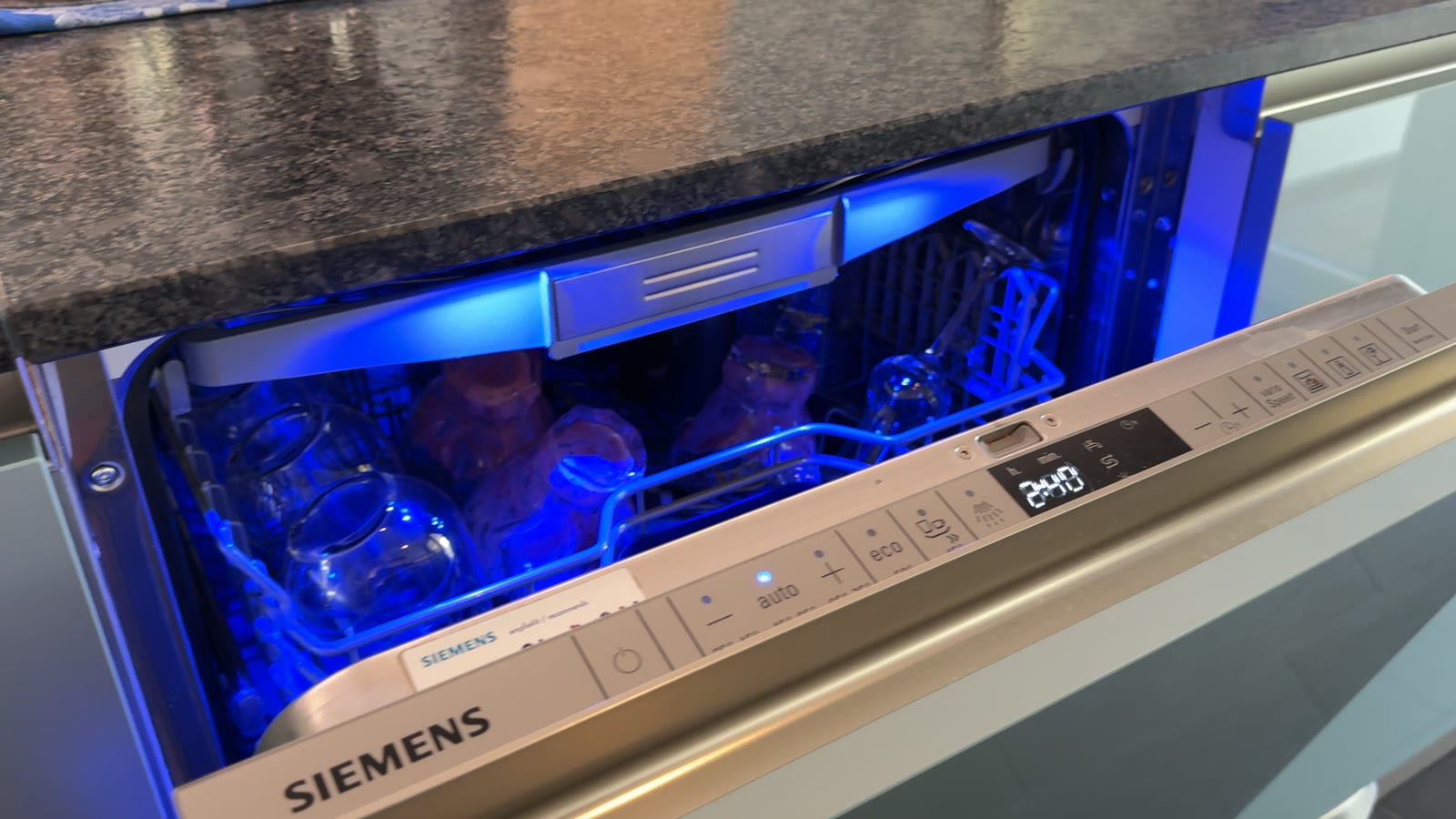
My dishwasher is a Siemens from 2010 – 15 years old, no WiFi, no app, no cloud. Exactly the kind of appliance you’d normally just replace at some point without a second thought. In my kitchen, though, Home Assistant shows me at any moment, to the minute, which program is running, how much time is left, whether the door is open, and whether I need to refill the salt – all of it locally, in my own house, without a single data packet ever leaving it.
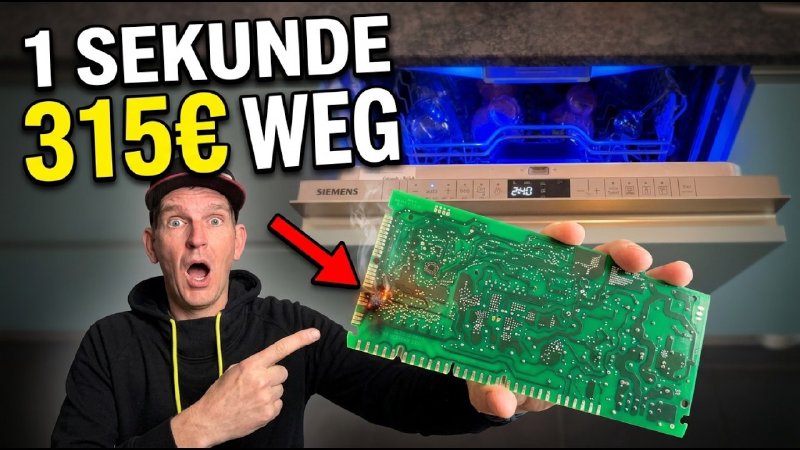
Sounds like a relaxed afternoon of tinkering? It wasn’t. Along the way, one careless move fried the heart of the machine, and I had to pay €315 in “tuition” before a single dish came out clean again. How a “dumb” old appliance ended up doing more than plenty of new ones with Home Connect – and how you can skip the expensive detour – is what this post is about.
Update 23 Sep 2026: New in this article – how I automatically start the dishwasher on solar surplus using a 1-hour delay timer, even though the board only listens in. Including a surprise when cutting power during the delay. Jump to the tip
Safety note: Working on household appliances is at your own risk. Depending on the device, the internal bus may not be safely isolated from mains – never connect the device and a computer at the same time, and always work de-energized. Opening the appliance can void your warranty.
The idea: just listen in on what the machine says anyway
It all started with a talk at the Chaos Communication Congress – »Hacking washing machines«. Two security researchers showed how Miele devices, and BSH devices (Bosch, Siemens, Neff & co.), tick internally. One detail was worth its weight in gold to me: almost every BSH machine has an internal data bus, called the D-Bus, that the individual modules use to talk to each other – the power module, the display, the sensors, and on newer devices also the WiFi module for Home Connect.
The bus is proprietary, but by now pretty well understood. On my machine it runs at around 13.5 volts and 9600 baud over two simple wires. So the plan was equally simple: tap in with a small microcontroller and just listen. Nothing to invent, nothing to rewire – just something to learn to listen to. Whatever the machine says internally, it’s already sending out anyway.
The moment that cost €315
So much for the theory. In practice, I had my adapter board (more on that below) in hand and, of course, wanted to get started right away. The obvious spot seemed to be up in the door, right behind the display – according to voices online, the bus should be there. So I plugged it in. And: nothing. No data, dead end.
To get to the bottom of it, I wanted to measure whether the bus even reaches up there. Out came the multimeter, probes onto the pins, which sit really close together – and in exactly that moment a probe slipped and briefly shorted two contacts.
The bill came instantly: first the fuse blew, then nothing happened at all when I switched the machine back on. A couple of lights still blinked defiantly, but the rest of the machine was dead. The central power module – basically the heart of the device – was gone, and the front module with buttons, LEDs, and time display right along with it.
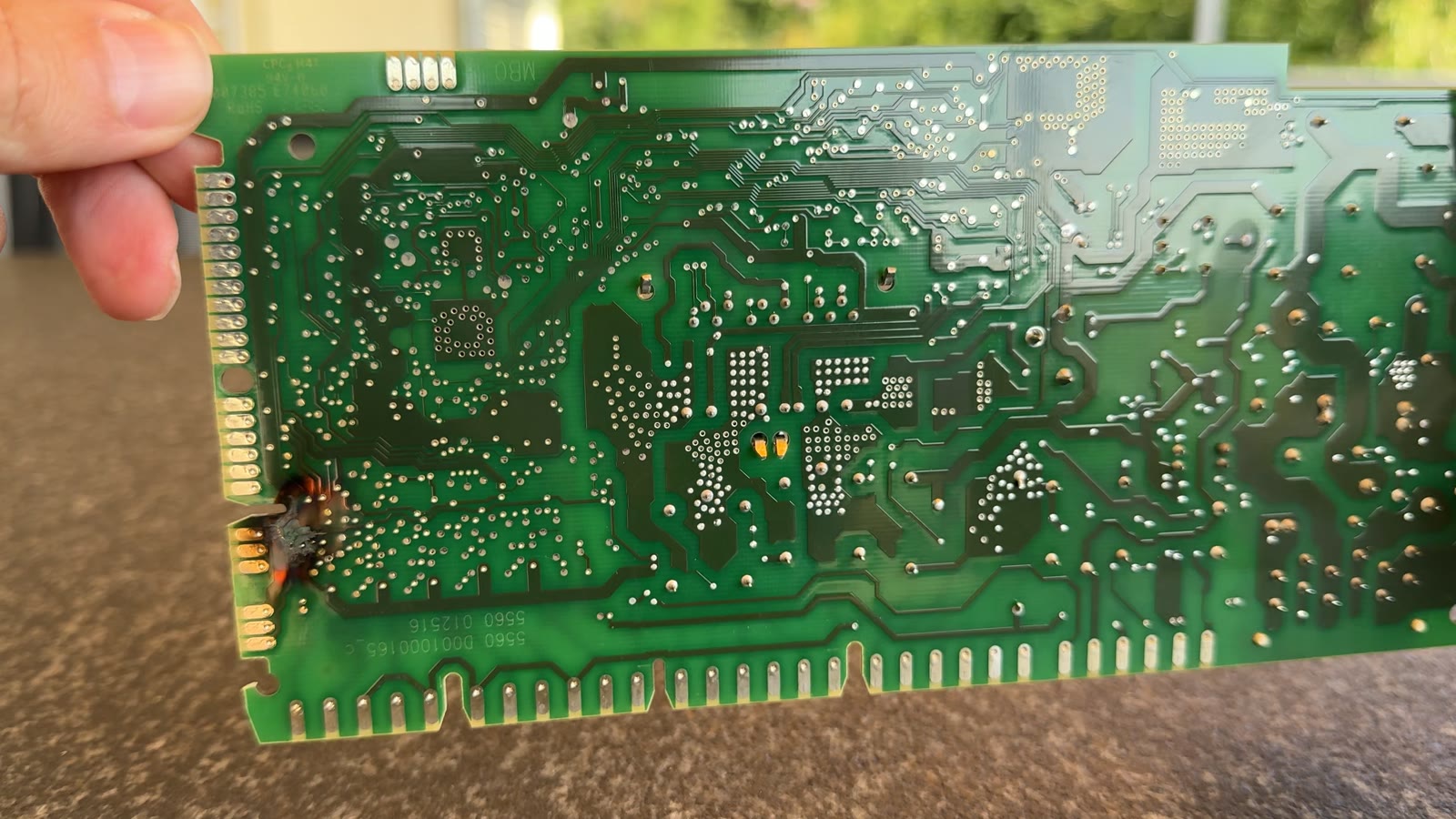 The machine’s central power module – the black scorch mark on the left edge is the short circuit that cost me €315.
Nothing for it: gritting my teeth, I ordered replacement parts. Power and front module together, €315. On top of that, half the machine had to come apart just to reach the modules at all – all done myself, with what felt like half of YouTube’s repair community for backup. Between “board arrives in January” and “machine runs again in March,” quite a bit of time passed, during which we went back to washing dishes by hand. My family’s enthusiasm was, let’s say, limited.
The lesson, and I mean this seriously: never poke around with pointed probe tips inside tight connectors while there’s voltage on them. That one second cost me not just money, but a lot of nerves too.
Back to square one – this time with respect
After the repair I gave it another go, now with a lot more caution. The key insight: the board doesn’t belong up at the display, but down at the power module. According to other people’s experience reports on GitHub, it should have worked up top too – I never could fully clarify what went wrong in my case. After the expensive lesson, though, I didn’t want to take any more risks and stuck to what had worked for most people.
Down at the power module the mounting is fiddlier, but there are two dedicated pins meant for a service technician to read out. Clamped on there – and, sure enough, on the very first try: clean data, stable power, everything running exactly as it should.
The hardware: a €20 board instead of a €300 module
The centerpiece is a small adapter board that brings the bus level from 13.5 volts down to something a microcontroller can handle. Mine carries an ESP32-C6 running ESPHome – the open-source firmware that turns microcontrollers like this into full Home Assistant devices without much programming knowledge.
The board itself comes from an open-source project on GitHub. I got mine fully assembled through a group order for just under €20, connectors included – the full PCB layout is published, so anyone can have one built or make it themselves. There’s even a 3D-printable case with press-fit magnets in the repo, so the whole thing sticks neatly to the machine.
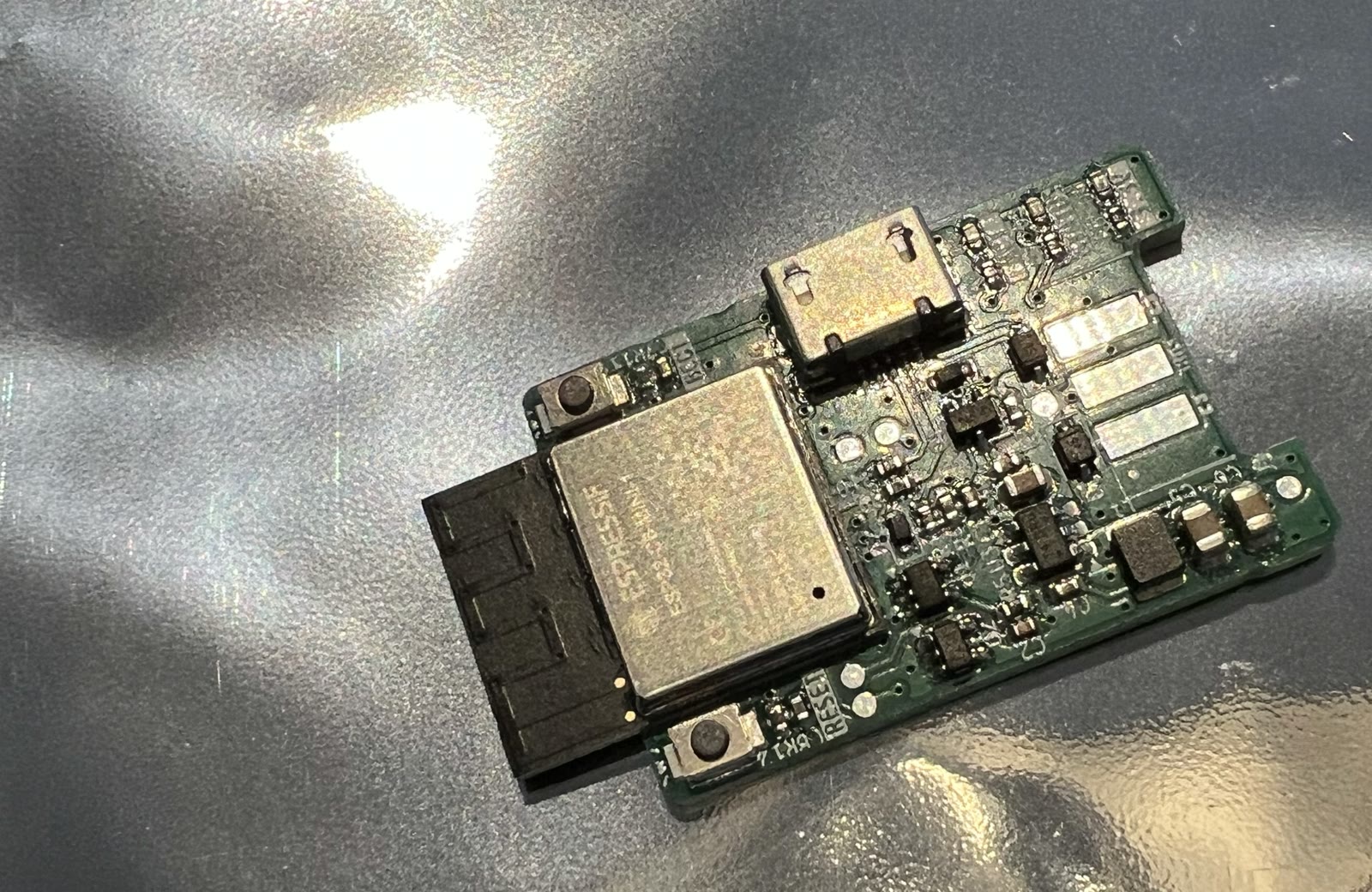 The complete adapter board: an ESP32-C6 plus a level shifter for the 13.5-volt bus – for just under €20 through a group order.
From a jumble of bytes to meaning – with logs and AI
Now I had a data stream. At first, though, that’s just a jumble of bytes: how do you know which packet means “door open” and which one means “47 minutes left”? Luckily, I didn’t have to start from scratch – there’s already groundwork out there, ready-made ESPHome components that log the bus traffic in general. My job was to translate all of that onto my specific machine.
I ran targeted wash cycles – for example the 40-degree automatic program with SpeedPerfect – and recorded the complete ESPHome log for each run. I then handed those logs to an AI, with clear context: “This was a 40-degree automatic wash cycle with SpeedPerfect – analyze the communication and note which patterns correspond to which state.” Repeated for many different runs: other programs, other options, door open, door closed. Bit by bit, raw bytes turned into an ESPHome configuration tailored to my machine – including documentation of everything found.
It now runs so reliably that I’ve officially published it:
👉 My ESPHome config + docs on GitHub
If you have exactly the same machine (Siemens SX66T096EU), you can take the configuration over directly. For a different BSH model, the patterns are generally similar but, depending on the device generation, not always identical. My config still works as a starting point – combined with exactly this logging-plus-AI workflow to adapt it to your own device.
The payoff: the dashboard
And then the moment that made all the effort worth it: my Home Assistant dashboard shows, while the machine is running, the current program, the status, whether the door is open or closed – and above all the exact remaining time. Not an estimate, but exactly the signal shown on the machine’s own display. It’s the same communication my board is listening in on, after all.
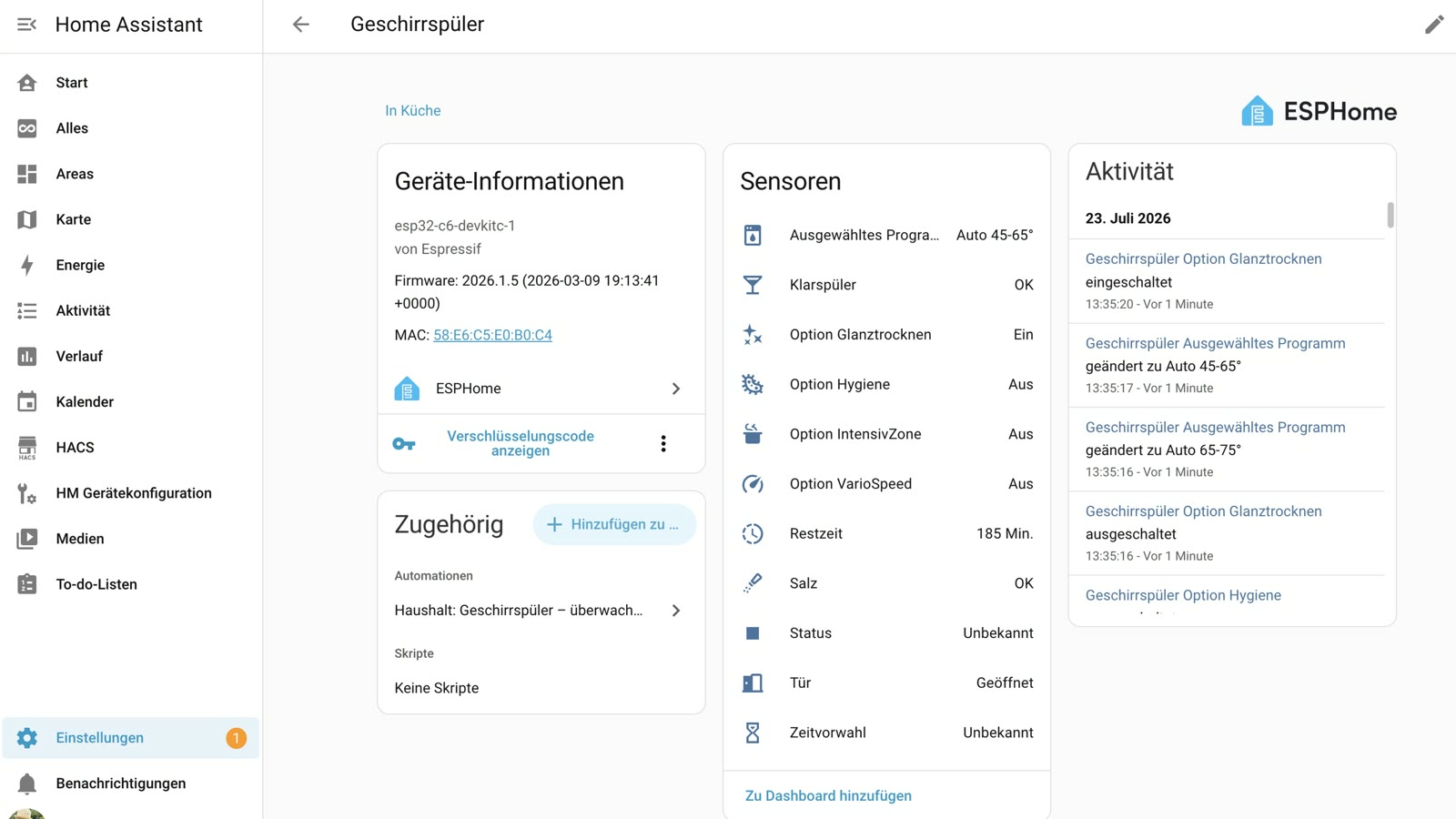 Every sensor straight from the D-Bus: program, remaining time, door, salt, rinse aid – live in Home Assistant, with no Home Connect involved.
I switched my “empty the dishwasher” notification (from an earlier video) straight over to the bus. That makes it better in two ways: it now detects the end of the cycle precisely instead of with a time delay – and it cleans itself up. As soon as the door opens, Home Assistant knows someone’s emptying the machine, and the reminder disappears on its own.
And because the machine also reports over the bus when salt or rinse aid is running low, I show that as a small hint right on the dashboard – instead of only noticing the next time I urgently need it.
Old beats new
I used to detect the end of the cycle via a switchable socket with power monitoring – a Shelly measuring power draw – and infer from the wattage curve: still running, or done. That works, but it’s always a bit of interpretation. The route via the bus gives me the actual status instead: running, not running, which program, how much time is left, even error messages. Considerably more precise – and, as a smart-home nerd, honestly a lot more satisfying too.
Which brings things full circle to the title: a 15-year-old machine with neither an app nor a cloud ends up giving me more, and more reliable, data than plenty of brand-new devices with Home Connect – all while staying 100% in the house. No account to set up, no cloud to rely on, no dependency on some manufacturer’s server.
One thing matters to me here: right now I’m only reading with the board – I’m deliberately not controlling the machine with it. Whether and how the bus can safely be used for sending too is being discussed in the community; as long as that isn’t cleanly figured out, I’m sticking to just listening in. For everything shown here, that’s completely enough.
Update 23 Sep 2026 – Practical tip: start the dishwasher on solar surplus using the delay timer
The board only listening in doesn’t mean I can’t influence the machine at all. The trick: I don’t control it over the bus, but the old-fashioned way – via the power supply, using the Shelly smart plug that still sits in front of the machine anyway. The board just supplies the knowledge of when the right moment to cut power is.
Operation stays entirely at the machine: if I set a delay timer of exactly 1 hour, Home Assistant reads that as “please wash with solar power”. Why exactly 1 hour? It’s quick to set on the machine – and I practically never use it as a genuine desired start time. Longer delays like 3 or 6 hours, on the other hand, I mean seriously; they should apply, so they run exactly as set. No app, no extra button – and anyone who doesn’t know about the automation just uses the machine as usual.
What I learned: let it start first, then cut the power
My first approach was the obvious one: cut the power just before the delay runs out and switch it back on when there’s PV surplus. That backfired. If you cut power during the delay, the machine doesn’t resume the delay when power returns – it resets it to a flat 30 minutes. Measured on two days in a row, even though 7 and 5 minutes were left when power was cut. That’s a reset, not a resume.
The counter-test showed the right way: let the delay run out normally, the program starts, and only 60 seconds later does the Shelly switch off. In that first minute the machine draws only about 20 watts, so it isn’t heating yet. When I switched it back on a good two hours later, the program continued immediately – the remaining time counted down from the very first minute. So a program that has already started resumes without any delay.
How the flow works
- 1-hour delay detected: the delay sensor from the bus jumps to 0.95–1.0 h → a helper
spulmaschine_wartet_auf_pvis switched on. The jump upwards matters: a 3-hour delay counting down through 1.0 doesn’t trigger it. - Program started: the bus status has reported “running” for 60 s → Shelly off, push notification to my phone.
- Sun’s out: PV surplus above 2000 W for 5 minutes → Shelly on, the program continues. At 4 pm at the latest it starts even without surplus, so there are clean dishes by evening.
- Switched on by hand: if someone switches the Shelly on themselves, the postponement is cancelled – otherwise the automation would switch a manual start off again 60 s later (which is exactly what happened to me).
The core is the switch-off trigger on the bus status instead of the remaining delay time:
| |
I calculate the PV surplus as a template sensor: inverter output minus house consumption minus wallbox – i.e. what would otherwise go to the grid or the battery. Threshold and latest start time are adjustable as helpers on the dashboard.
Does this work without the bus module? In principle yes, since the control runs purely through the smart plug. Without the bus, though, you lose the delay timer as your “control knob” and the exact program start. You can detect the start via power measurement instead, as described in my older dishwasher article – just with a bit more fuzziness. And most importantly: test first with your own machine whether it really resumes after a power interruption. Not every machine does, and the behaviour during the delay surprised even me.
Conclusion
It’s worth keeping old devices alive and making them smart instead of throwing them away. But let’s be honest, too: this path is not for a relaxed Saturday afternoon. You open up a device, work on electronics, and – as my €315 bill shows – you can break something. If you’re up for it: my complete config and docs are on GitHub (linked above), so you don’t have to start from zero.
And if this is all a bit too deep into the machine for you, but you’d still like to know when your dishwasher is done: check out my older video, where I solved exactly that without opening anything up – using nothing but a smart plug.