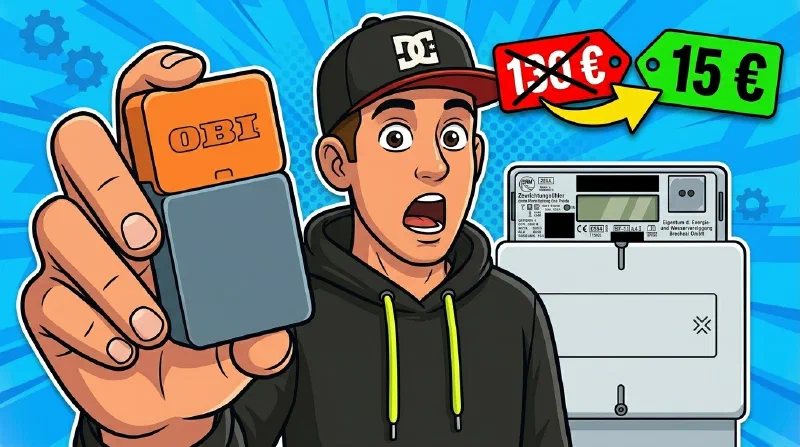
OBI launched a small electricity-meter reader at under €15 – and I’d argue it’s a small sensation. At that price there simply hasn’t been anything comparable, neither for beginners nor for advanced users. In this article I’ll show you two things: whether the OBI Energy Tracker is worth it for beginners and what the app can really do – and how to get the data into Home Assistant, with the OBI cloud, but also completely without the OBI cloud and app.
How I even got hold of the device: a friend forwarded me the heyOBI newsletter about the Energy Tracker and asked if I wanted to take a look. I thought it sounded interesting, and he put me in touch with someone at OBI – that’s how I ended up with my test unit.
Disclosure: The device was provided to me by OBI free of charge. No fee, no requirements – my opinion stays my own. Links marked (paid link) are affiliate links.
What has changed since publication
This article is no longer quite the one that went live in July. Two things have changed, and more than a hundred comments brought in real-world numbers that aren’t in the video yet. I’m adding them here.
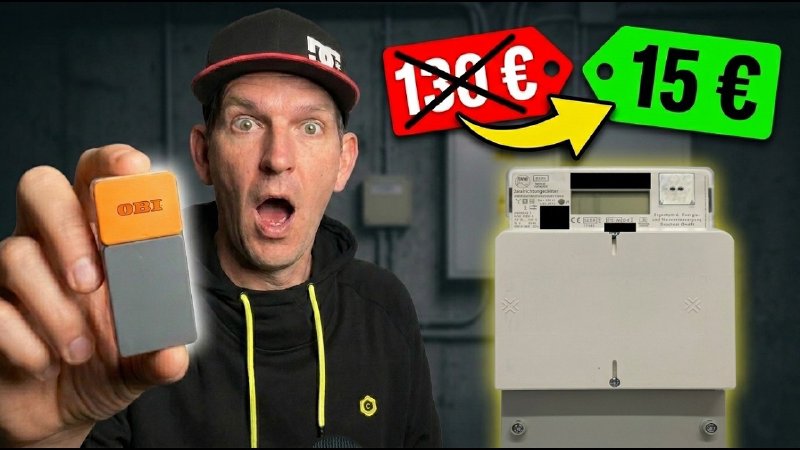
- The price went up. The €15 were a launch offer. Right after the video went live, OBI raised it to the regular €29.99 – several of you pointed that out. Compared to a Tibber Pulse (around €130) that’s still a fair price, but it’s no longer the bargain it was.
- Multiple sensors on one bridge now work. When the video came out this was only announced. Today the OBI FAQ states it plainly: with one account and one bridge you can run several sensors and track several electricity meters at the same time.
- The official smart home integration is still missing. The FAQ still lists it as “firmly planned” – with no date.
The problem: smart meters in Germany
Smart meters and Germany – that’s an absolute disaster. Only about 5% of all meters in this country are so far a real smart meter, even though it would have solid advantages for both sides.
Most of us instead have a simple digital meter – in technical terms a modern metering device. An important distinction, because it often gets mixed up: a real intelligent metering system, i.e. the actual smart meter, is that modern metering device plus a gateway that sends the data to the grid operator on its own. That gateway is exactly what most people are missing – they only have the optical interface on the front to read the data out locally. And yet the question nags at anyone with a smart home: where does all the energy actually go?
What is the OBI Energy Tracker?
The device consists of two parts:
- a sensor that is magnetically placed on the optical interface of your meter, and
- a bridge that receives the data via radio (868 MHz) and passes it on to your WLAN.
The regular retail price is €29.99. At launch the device sold for around €15 – that introductory offer has since expired.
👉 OBI Energy Tracker at OBI (paid link)
Range: what gets through concrete?
By far the most common question in the comments: does the radio link reach from the meter in the basement up to the flat? That’s exactly what the two-part design is for. At the meter, the sensor needs neither a socket nor WLAN – only the bridge needs WLAN, and it can sit anywhere in between where both work.
OBI gives concrete numbers in its FAQ: in tests across various households, up to 6 floors were bridged between bridge and sensor, while “unusually thick reinforced concrete ceilings” cut that down to 2 to 3 floors.
The reports from the comments cover both ends of that range. @tudymsydym gets three floors through 1970s concrete down into the basement, where the meter sits in what is effectively a Faraday cage – with water meters transmitting in the same 868 MHz band all around it. For @m2kurim, on the other hand, nothing arrived from the fourth floor down to the basement; he solved it with an external magnetic-mount antenna on the sensor. If you run the open firmware, you also get the spreading factor as a lever: SF9 instead of the default SF7 noticeably extends range and penetrates walls better, at the cost of longer transmissions and therefore battery life.
Battery and power consumption
According to the FAQ, the sensor runs up to two years on two AA batteries; if you’d rather not swap them, you can power it over USB-C instead. For the bridge, the manual lists a “max. power” of 3.5 W – and someone in the comments rightly took issue with that, since extrapolated it would mean around €10 of electricity a year just for watching your consumption. So I measured it for over an hour: the average draw is about 0.5 W, and the 3.5 W are the peak during active radio transmission. That works out to just under 4.4 kWh a year, so more like €1.50 to €2.
Why it’s interesting
What was there comparable so far? The best-known candidate is the Tibber Pulse – but it costs around €130 for non-Tibber customers and is only usable in a limited way without an active Tibber electricity plan. Or the classic DIY route: an infrared reading head with USB on the meter, plus a Raspberry Pi and a rather crude console tool (Volkszähler / vzlogger). It works – but it’s not for the masses.
For €15, a beginner gets a finished app, while the advanced user gets a device that can even be pulled completely locally into the smart home (more on that below). A Shelly Pro 3EM can do more, but needs an electrician and DIN-rail space. The OBI is the simple, cheap way in – without touching any wiring.
Setup and the OBI app
The first curiosity: the feature is tucked into the completely normal OBI app, which at first feels like a shopping app. Only under Profile does the Energy Tracker show up as its own item. Unusual – but it works, and pairing the bridge and sensor is straightforward; every step is explained in the app.
Unlocking the meter (PIN from the metering point operator)
One point where many people get stuck: many digital meters only release the optical interface once you unlock them with a PIN. You get it from your metering point operator – you even have a legal right to it, but you have to request it once (many offer a contact form for this).
A tour of the app
The overview immediately shows the status of bridge and sensor. The consumption analysis is really well done for beginners:
- at the top the absolute meter reading, separated into consumption and feed-in,
- a daily overview as a bar,
- an analysis view with day/week/month and the trend as a curve,
- and – for those who don’t need it that precise – aggregated four-hour blocks (morning/afternoon/evening).
CSV export
The data can be downloaded as a CSV and analysed further in a spreadsheet. The values are provided in five-minute intervals. In my export you can nicely see the solar bell curve of my PV system (over 5 kW of feed-in around noon, with dips from passing clouds) and the big load blocks when the EV charges.
Standby analysis – handy, but with a caveat
I find the standby analysis especially interesting: on a completed day the app shows the standby consumption – not just in watts, but also as a share of daily consumption. Very vivid for getting a feel for your own base load.
An important caveat from an “…but secure” perspective: the sensor measures at the grid connection point – it only sees what flows between you and the grid, not what happens behind the meter inside the house. If, like me, you have a PV system with a battery, the battery covers the base load at night and almost nothing shows up at the grid. So the standby figure is mainly meaningful for households without a battery. If you have a battery and want a clean reading, it’s best to disable it for a day.
Firmware update
At the start a firmware update was pending – it ran in the background and was simply done after a few minutes. Nothing a beginner stumbles over.
Interim verdict for beginners
For beginners the device is absolutely solid: cheap, simple, and the app does its job.
Credit where it’s due: the Data Act page
Despite all the criticism of cloud solutions, one thing I find genuinely great: OBI has its own Data Act page. It states completely transparently what the device does and how it communicates – encrypted via MQTT in JSON, meter readings every five minutes, roughly 19 MB per month in total. Even the exact values that are read out (consumption, feed-in, current power) are listed, and only the technically necessary data is stored on the device itself. This openness is a requirement under the EU Data Act – but very few manufacturers implement it this cleanly. A big compliment for that.
In Home Assistant: the easy way via the cloud (HACS)
Many of you run Home Assistant as your smart home hub and want the values right there. For that, there’s an unofficial integration in the Community Store (HACS): install it, enter your heyOBI credentials – and your meter readings show up as sensors in Home Assistant.
➡️ hacs-obienergytracker-integration (GitHub)
The catch: this integration doesn’t get the data from the device, but from the OBI cloud. It logs in with your heyOBI account and queries OBI’s server. So without the cloud nothing works, and if OBI changes the interface, it breaks.
Completely local – without the OBI cloud
For anyone who wants to be truly independent, there’s another project: OBI Energy Tracker Local Cloud by Aaron Christophel (atc1441). The community has fully reverse-engineered the device. With it, you can redirect the bridge so that it no longer sends its data to OBI’s servers (on AWS), but directly to a server at your home – and if you want, you can even flash your own open-source firmware onto the device.
Roughly sketched: the meter provides its data optically to the sensor, which transmits it over 868 MHz to the bridge, and the bridge normally opens an encrypted MQTT connection to the cloud. Because an openly documented AWS IoT protocol is used here, you can point the bridge at your own local server – for example next to Home Assistant on the same Raspberry Pi. Optionally, an open-source firmware replaces the OBI software entirely, flashed via the normal update mechanism, without opening the case. The result: the tracker runs completely offline, in real time, directly in Home Assistant.
Rebuilding this step by step would go beyond this article. The detailed guide is now its own video: OBI Energy Tracker locally: OpenOBI without the cloud – from redirecting the cloud to proving that really not a single byte leaves your network.
What OBI is planning next
Good news to finish, especially for those who don’t want to tinker themselves: according to the OBI FAQ, an official integration into smart home systems (Home Assistant, OpenHAB, FHEM) is “firmly planned” – in OBI’s own words, “our heart beats for open source”. The point about multiple sensors on one bridge, previously announced there, has meanwhile been delivered. In the heyOBI newsletter, OBI additionally announces a live mode with per-second values and a consumption comparison with other households. So a lot of what’s still community tinkering today may soon arrive officially – and then this little device gets even more interesting.
Conclusion
Even at its now regular €30, the OBI Energy Tracker is a surprisingly good way to make your own power consumption visible – with a clean app and exemplary data transparency. The cloud requirement and the still-missing official HA integration are the weak spots. For tinkerers, though, the ability to run the device completely locally is exactly what tips the scales.
👉 Buy the OBI Energy Tracker at OBI (paid link)
Note: Links marked with affiliate link are affiliate links. As a partner of various retailers and manufacturers (e.g. Amazon, OBI via the Awin network, Shelly) I earn from qualifying purchases. This means I receive a small commission if you purchase through these links — at no extra cost to you. The revenue helps me run this blog and YouTube channel and keep creating content. Thank you for your support!
― Joachim